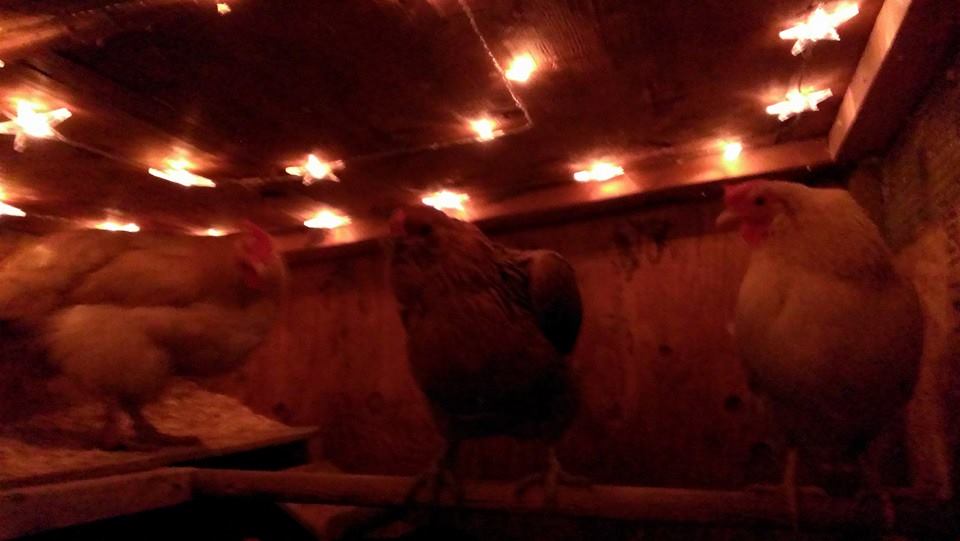
Chicken Coop Lighting | Arduino Automated Chicken Coop Lighting | Chicken Coop Interior Lights (star lights)

Chicken Coop Lighting | Arduino Automated Chicken Coop Lighting | Chicken Coop Interior Lights (star lights)
This site uses Akismet to reduce spam. Learn how your comment data is processed.
We use cookies and tracking technologies to optimize site functionality and analyze user traffic. Please choose your preferences before continuing. | Privacy Policy.
Manage your cookie preferences below:
Essential cookies enable basic functions and are necessary for the proper function of the website.
These cookies are needed for adding comments on this website.
Google reCAPTCHA helps protect websites from spam and abuse by verifying user interactions through challenges.
Google Tag Manager simplifies the management of marketing tags on your website without code changes.
Statistics cookies collect information anonymously. This information helps us understand how visitors use our website.
Google Analytics is a powerful tool that tracks and analyzes website traffic for informed marketing decisions.
Service URL: policies.google.com (opens in a new window)
You can find more information in our Privacy Policy and Privacy Policy.
Ok, I will adjust the code…. as it is written on your page should I always have voltage from pin 45, or should the voltage be cut once the photocell picks up light?
Hi Mark,
If you look carefully at the code, the relay will turn on when the door is still open and the light level is between 4 and 120 (dusk) (my relay is set to “normally closed,” so I used “digitalWrite (relayInteriorLight, LOW);”) and the relay will turn off, simply when the door is closed (bottomSwitchPinVal == 0)
Make sense?
Hope that helps,
//D
Do you have a part list for this? just for some bench testing I used an LED to pin 5 but no matter if it’s dark or door open or closed the LED is always on? Could you clear this up? Thanks
Hi Mark,
Thanks for the questions.
Parts list: all parts are listed on the main controller page:
http://davenaves.com/blog/interests-projects/chickens/arduino-chicken-coop-controller/
As far as the LEDs, there are 3 states: door open (red led on) | door closed (green led on) door stuck (red led blinks)
i.e: There’s always an LED on. =)
Cheers!
I guess I should have clarified.. Im talking about the interior lighting… you mentioned in the code pin 45 for the interior light relay.. so to simulate an “interior” light I connected an LED to pin 45 but no matter the light level / door status I cannot get the LED to shut off leaving the interior light always on.
Ah, the interior lights… thanks for clarifying.
Hmmm… my first thought (if you’ve done/pinned everything I have is that your relay may be normally closed instead of open) If so, try switching the digitalWrite (relayInteriorLight, LOW); to HIGH and vice versa… see if that works. If not, let me know exactly what you’re doing to test. i.e., it’s difficult to test this function, in that the light should only goe on when the light levels read > 4 & < 120 and close when the bottom door switch is closed. Keep me posted. =) Cheers! Here's an article on NO/NC: http://hydrosystemsco.com/wp-content/uploads/2014/06/triton-relays-normally-open-vs-normally-closed.pdf For those reading that want to see what Mark is asking: // turn on interior lights at dusk and turn off after door shuts void doCoopInteriorLightDusk() { if ((unsigned long)(millis() - lastTwilightTime) > TwilightDelay) { // delay 5 mins
lastTwilightTime = millis();
doReadPhotoCell();
bottomSwitchPinVal = digitalRead(bottomSwitchPin);
if (bottomSwitchPinVal == 1) { // if bottom reed switch circuit is open (door is open)
if (photocellReading >= 4) { // if it’s twilight
if (photocellReading <= 120) { digitalWrite (relayInteriorLight, LOW); // turn on interior light relay if (SerialDisplay) { Serial.println(" Interior Light: On"); } } } } else if (bottomSwitchPinVal == 0) { // if bottom reed switch circuit is closed (door is closed) digitalWrite (relayInteriorLight, HIGH); // turn on interior light relay if (SerialDisplay) { Serial.println(" Interior Light: Off"); } } } }